Slack Employee Tools Product Design
Reimagining how Salesforce employees connect, collaborate, and get work done — designing intelligent, personalized Slack experiences that cut through communication noise, simplify daily workflows, and empower a global workforce.
Role
Client Program Lead
Executive Design Director
and Design Team Leader
Responsibilities
Defined the product design vision for intelligent, personalized Slack experiences across Salesforce’s global workforce.
Directed cross-functional teams to build a unified Slack “home” experience integrating tasks, tools, and automation.
Oversaw design of onboarding, approvals, and self-service flows to simplify daily operations.
Ensured design quality, usability, and alignment across internal tools and workflows.
Partnered with Salesforce leadership to shape a scalable digital employee experience strategy.
Ensured design quality, usability, and alignment across internal tools and workflows.
Partnered with Salesforce leadership to shape a scalable digital employee experience strategy.
Business ChallengeHow might we empower global Salesforce employees to work more efficiently and deliver experiences that centralize communication, guide tasks, and streamline daily workflows?
The SolutionDelivered data-driven Slack experiences that simplify workflows, surface relevant tools, and connect employees across the globe
Experience Principles
The Power of Personalization
We create Slack experiences that are "tailored" and speak to users' personal needs and goals on an individual level to ensure they are getting the right messages and services at the right time.
Guided Tasks to Lead the way
We leverage intelligent “To-do’s”, notifications and reminders; to create simple and easy ways for users to complete tasks quickly and thoroughly so they can maximize their greatest asset, time.
No Place like Home
We give users one flexible area for all that they need, providing access to tools, support, approvals and communication on both a micro and macro level, so users no longer face the disruption of managing and searching multiple platforms.
Transparency is Key
We build trust with users by keeping them informed every step of the way with real-time updates and continue to build a culture of open feedback by providing forums that enable processes to iteratively improve.
Developed 3 New Slack Product Experiences and Capabilities
Seamless Support
Task Management
New Hire Experience
Task Management
🧭 Overview
My Workbook is a personalized hub that helps users organize and prioritize their most important tasks—from approvals to daily to-dos—ensuring nothing falls through the cracks.
🛠️ Enhancers
Set custom reminders and quickly act on upcoming tasks
Filter tasks by categories like team, project, or due date
Managers and direct reports can share reminders and recommend trainings
Manage onboarding tasks and approvals directly in the workbook
Integrates with calendars to block focused work time
🏆 Benefits
Lower help-desk workload through expanded, efficient self-service options
New Hire Experience
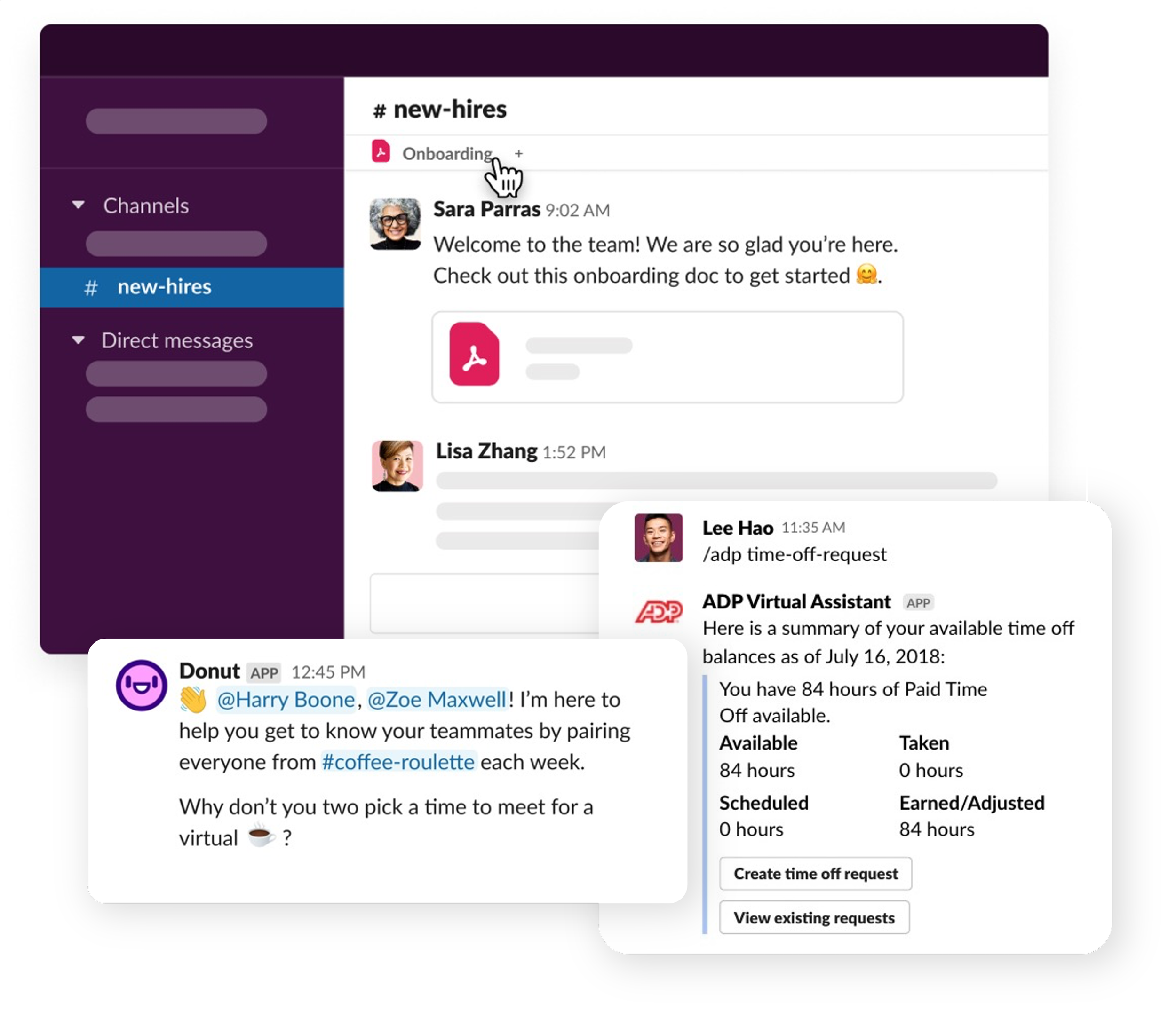
🧭 Overview
New Hires receive enhanced Slack features that guide them through onboarding, track their progress, and help them quickly connect with Salesforce culture.
🛠️ Enhancers
New Hires join a #Cohort to experience onboarding alongside peers
Access to “Trailhead Mentors,” with easy scheduling for 1:1s
Automated “1:1 meeting chains” help new hires connect with the right people
Managers can auto-generate personalized intro messages and support relationship building
Managers gain full visibility into onboarding tasks and can share pro tips
Optional pre-boarding in Slack provides early access to HR communications
🏆 Benefits
Improve onboarding experience and scale the Salesforce culture for new hires
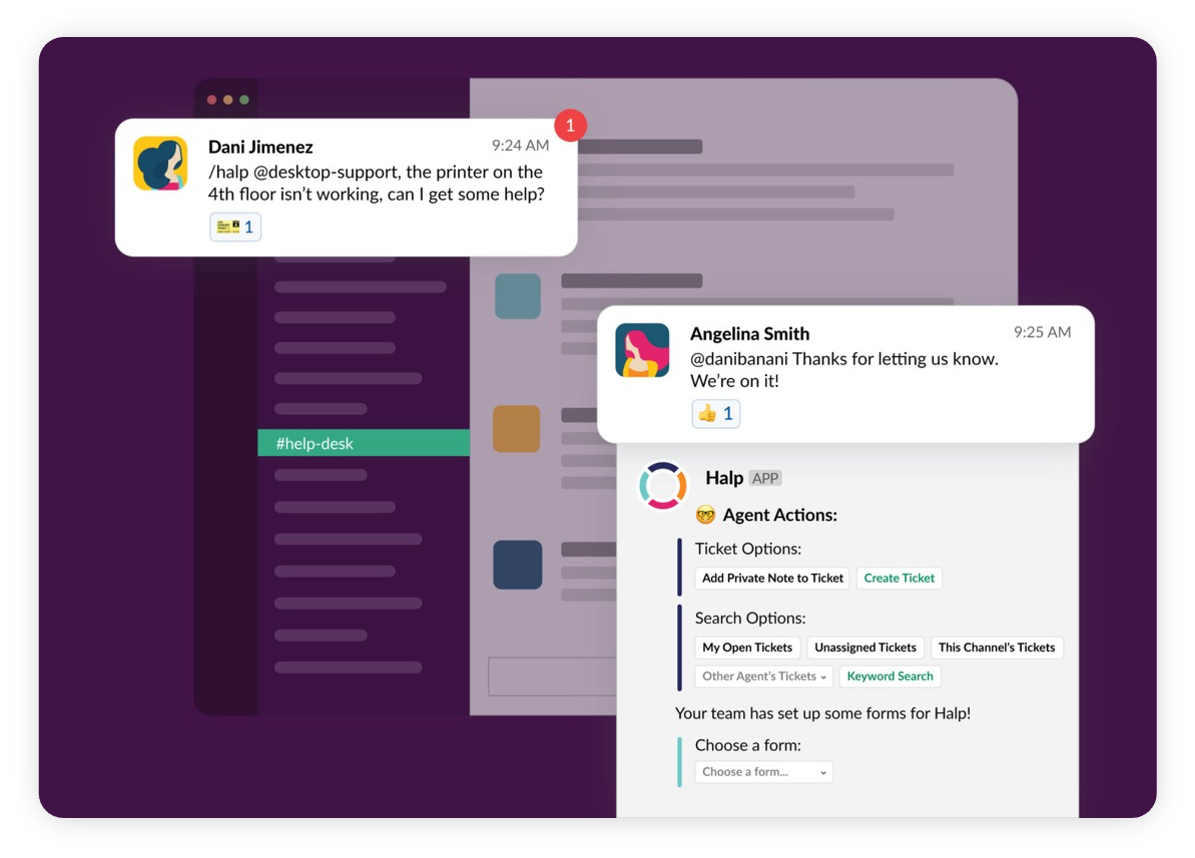
Seamless Support
🧭 Overview
Managers and employees can choose how they get support—virtual agent, ticket, live call, self-service, or peer forum—while tracking the entire process and switching channels as needed.
🛠️ Enhancers
Multiple support options across automated, live, and self-service channels
A “Service Tracker” shows every step from request to resolution
Feedback collected at each touchpoint to improve speed and quality
“Did you know?” tips encourage self-service and reduce ticket volume
🏆 Benefits
Lower help-desk workload through expanded, efficient self-service options